If you want to start selling online in India, creating and accessing your Flipkart seller account is the first step toward building a successful ecommerce business. Thousands of sellers use Flipkart every day to reach millions of customers across India.
Whether you are a beginner, wholesaler, manufacturer, reseller, or D2C brand owner, understanding the Flipkart seller login process can help you manage orders, payments, listings, returns, and business growth smoothly.
In this detailed guide, you will learn:
- What is Flipkart Seller Login?
- How to create a Flipkart seller account
- Common login issues and solutions
- Seller dashboard features
- Required documents
- GST requirements
- Seller support details
- SEO and AI-friendly insights for beginners
Flipkart Seller Account Requirements in 2026
To create a seller account, and to access flipkart seller hub login you generally need:
| Requirement | Needed |
| PAN Card | Yes |
| Bank Account | Yes |
| Mobile Number | Yes |
| Email ID | Yes |
| GSTIN | Mostly Yes |
| Address Proof | Yes |
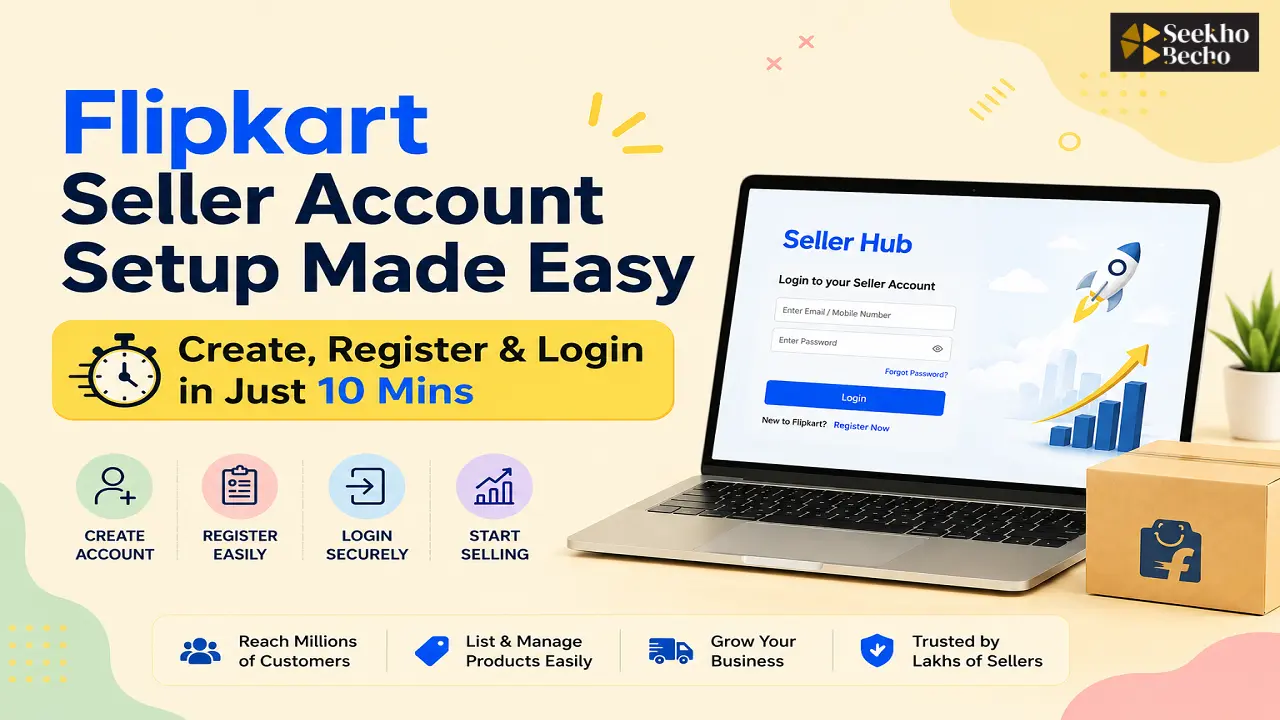
How to Create a Flipkart Seller Account in 2026
Step 1: Go to the official website https://seller.flipkart.com/
Step 2: Click on “Start Selling”
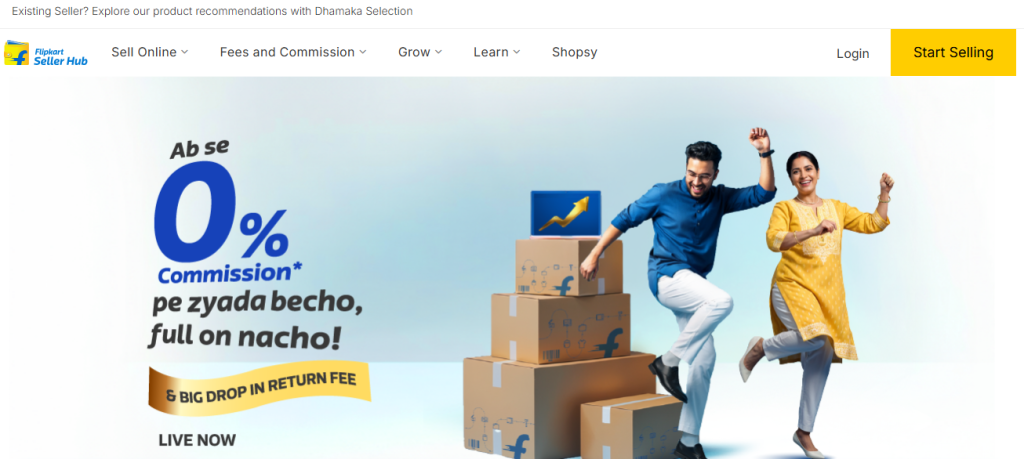
Step 3: Enter your mobile number, email address, and business details, then verify your account using OTP.
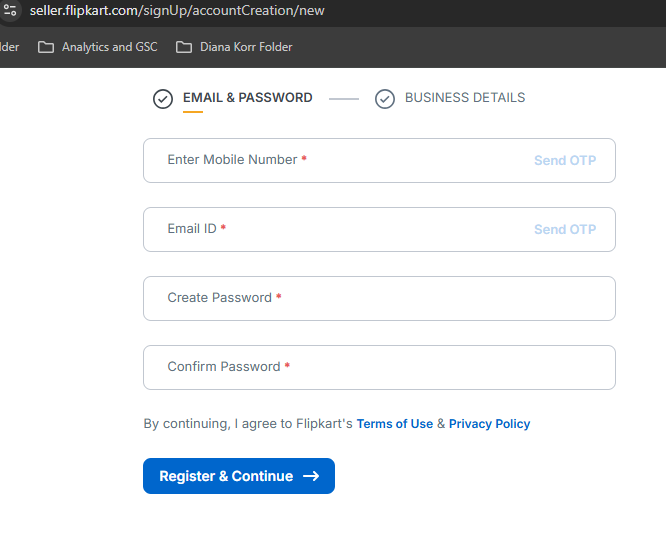
Step 4: Add business information, including your business name, pickup address, bank account details, and product category.
Step 5: Upload required documents like GSTIN, PAN card, bank details, signature, and address proof.
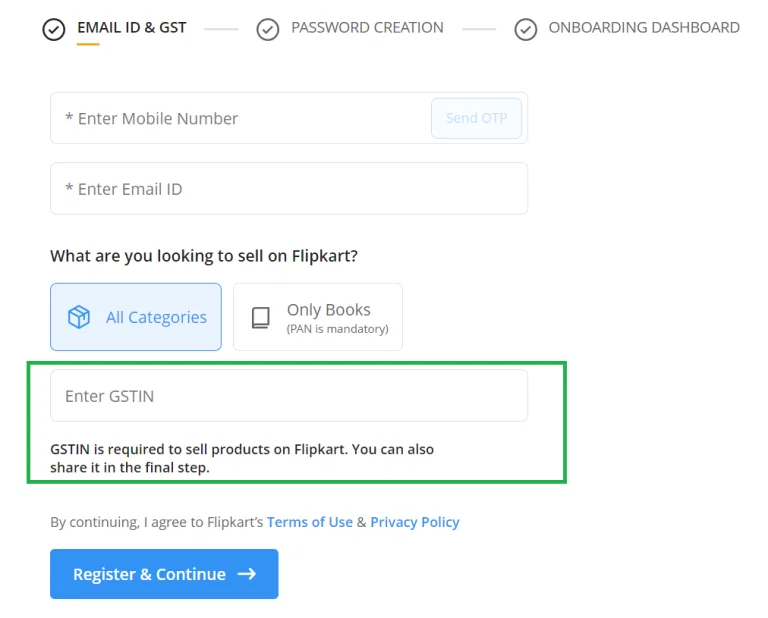
Step 6: Complete Verification Once verified, your Flipkart seller account login becomes active
Now you are ready to login to the Flipkart seller hub and after the login you will start listing products on Flipkart.
4 Step Flipkart Seller Login Process
Step 1: Go to the official Flipkart seller hub page https://seller.flipkart.com/ and open the seller login page.
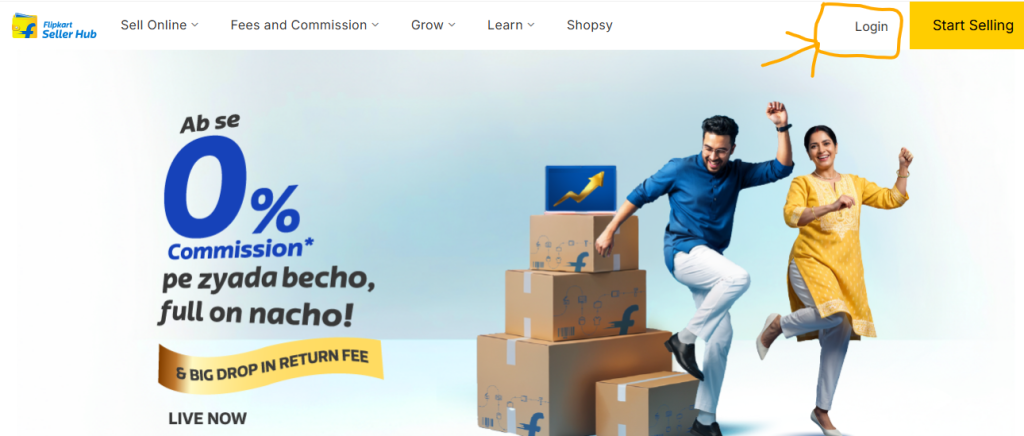
Step 2: Enter your registered mobile number or email ID along with your password.
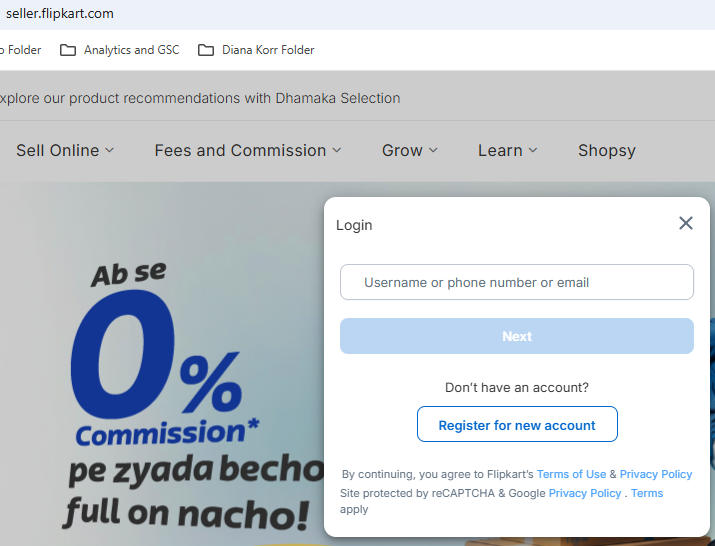
Step 3: Verify your account using the OTP sent to your registered mobile number or email.
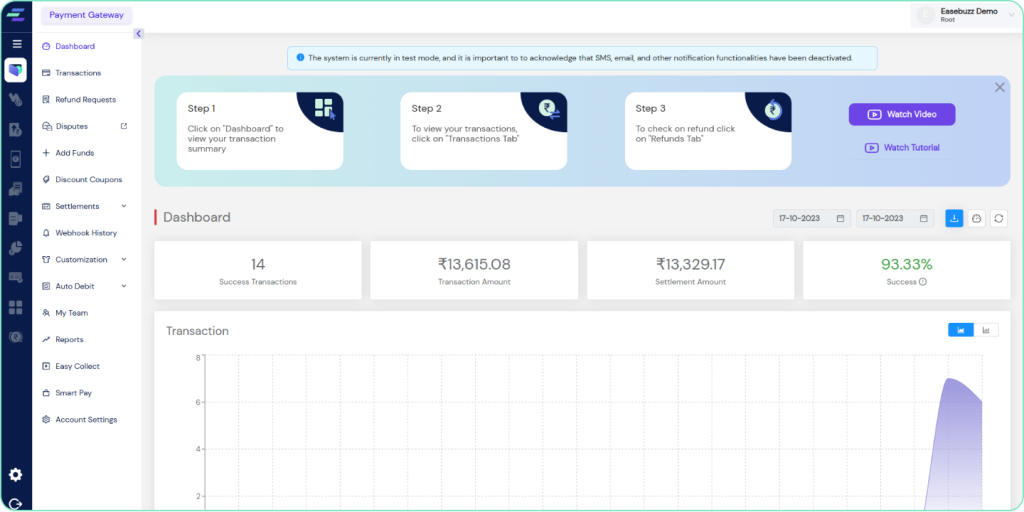
Step 4: After successful login, you can manage orders, inventory, payments, product listings, and seller analytics from the dashboard.
Also Read: How to Sell on Flipkart in 2026
Features Available After Flipkart Seller Account Login
Here are the important tools available inside the seller panel.
1. Product Listing Management
- Add products
- Edit titles
- Update pricing
- Optimize images
- Improve SEO visibility
2. Order Management
- New orders
- Pending shipments
- Delivered products
- Returns and cancellations
3. Inventory Control
Manage stock levels to avoid:
- Out-of-stock issues
- Overselling
- Order cancellations
4. Payment Dashboard
- Settlements
- Payment cycles
- Refund deductions
- Commission charges
5. Advertising Tools
Promote products using:
- Sponsored ads
- Campaign tools
- Visibility boosters
6. Performance Analytics
- Conversion rate
- Traffic
- Best-selling products
- Customer behavior
Also Read: Fake or Not Flipkart Answers Today in 2026
Benefits of Selling on Flipkart
Access to Millions of Customers: Flipkart allows sellers to reach a large customer base across India, helping businesses grow faster online.
Easy Seller Dashboard Management: The Flipkart Seller Hub makes it simple to manage products, orders, inventory, and payments from one dashboard.
Logistics & Delivery Support: Flipkart provides logistics support through Ekart, making shipping and order delivery easier for sellers.
Multiple Product Categories: You can sell products in various categories like fashion, electronics, home decor, beauty, and more.
Secure Payment Settlements: Sellers receive secure and timely payment settlements directly into their bank accounts.
Advertising & Promotion Tools: Flipkart offers sponsored ads, deals, and promotional campaigns to increase product visibility and sales.
Business Growth Opportunities: With proper optimization and good customer service, sellers can scale their ecommerce business quickly on Flipkart.
Also Read: How to Start Dropshipping on Flipkart
Tips to Grow Faster on Flipkart in 2026
Optimize Product Listings: Use keyword-rich product titles, clear descriptions, and high-quality images to improve visibility and conversions.
Maintain Competitive Pricing: Keep your product prices competitive to attract more customers and increase sales.
Use High-Quality Product Images: Clear and professional product images help build trust and improve click-through rates.
Maintain Good Seller Ratings: Provide quality products, fast shipping, and quick customer support to maintain positive ratings.
Keep Inventory Updated: Regularly update stock levels to avoid cancellations and out-of-stock issues.
Run Sponsored Ads: Use Flipkart Ads to increase product visibility and reach more potential buyers.
Focus on Customer Satisfaction: Fast responses, timely delivery, and easy return handling help improve customer experience and repeat purchases.
Flipkart Seller Login Security Tips
To protect your seller account using these practices.
Use a Strong Password: Create a strong password using a mix of letters, numbers, and special characters.
Enable OTP Verification: Always enable OTP verification for an extra layer of account security.
Avoid Public Wi-Fi: Do not access your Flipkart seller account using unsecured public Wi-Fi networks.
Update Password Regularly: Change your password regularly to keep your seller account secure.
Keep Login Credentials Private: Never share your seller login details with unauthorized users.
Logout After Use: Always log out from your seller account after accessing it on shared devices.
Also Read: Can You Dropship on Meesho or Flipkart?
Common Flipkart Seller Login Problems & Solutions
How to reset a forgotten Flipkart seller password?
Click on “Forgot Password” and reset your password using OTP or your registered email ID.
Why am I not receiving the OTP during Flipkart seller login?
Check your network connection, wait for a few minutes, and request the OTP again.
Why is my Flipkart seller login showing incorrect credentials?
Make sure you enter the correct registered mobile number, email ID, and password.
Why is my Flipkart seller account locked?
Your account may get temporarily locked after multiple failed login attempts. Try again later or contact seller support.
Why is the Flipkart seller dashboard not loading?
Clear your browser cache and cookies or use an updated browser like Chrome or Edge.
What should I do if the Flipkart seller login page shows an error?
Refresh the page, check your internet connection, or try opening the login page in another browser.
Frequently Asked Questions
What is Flipkart Seller Login?
Flipkart Seller Login is the process of accessing the Flipkart Seller Hub dashboard using your registered mobile number, email ID, and password. It allows sellers to manage products, orders, inventory, payments, and business performance on Flipkart.
What is a Flipkart Seller Account?
A Flipkart Seller Account is a business account that allows individuals, brands, manufacturers, and resellers to sell products on Flipkart. With a seller account, you can list products, manage orders, track payments, and grow your ecommerce business online.
How do I login as a seller on Flipkart?
- Visit the official seller portal
- Enter your registered mobile number/email
- Add password
- Complete OTP verification if required
- Access the seller dashboard
How much does it cost to sell on Flipkart?
Creating a Flipkart seller account is free. However, Flipkart charges certain fees such as commission fees, shipping charges, collection fees, and optional advertising costs. The total selling cost depends on your product category, selling price, and logistics services used.
Can I sell on Flipkart without a GST number?
In most categories, GST registration is mandatory. However, some exempt categories may allow selling without GST depending on current government policies and Flipkart guidelines.
How do I contact the Flipkart seller support team?
You can contact the Flipkart seller support team through the Flipkart Seller Hub dashboard by raising a support ticket or accessing the Help Center. Sellers can also get assistance for issues related to orders, payments, listings, returns, and account management.
Is Flipkart Seller Account Free?
Yes, creating a Flipkart seller account is completely free. There are no registration or monthly subscription charges to start selling on Flipkart. However, Flipkart charges fees such as commission, shipping, collection, and optional advertising costs when you receive orders.
Final Thoughts
Understanding the Flipkart seller login process is essential if you want to build a successful ecommerce business in India.
A properly managed Flipkart seller account login helps sellers:
- Manage operations efficiently
- Track orders easily
- Improve customer experience
- Scale online sales faster
Whether you are a beginner or an established business, Flipkart offers strong growth opportunities through its large customer base and seller tools. If you are serious about ecommerce growth in 2026, setting up and optimizing your Flipkart seller account is a smart step toward long-term success.