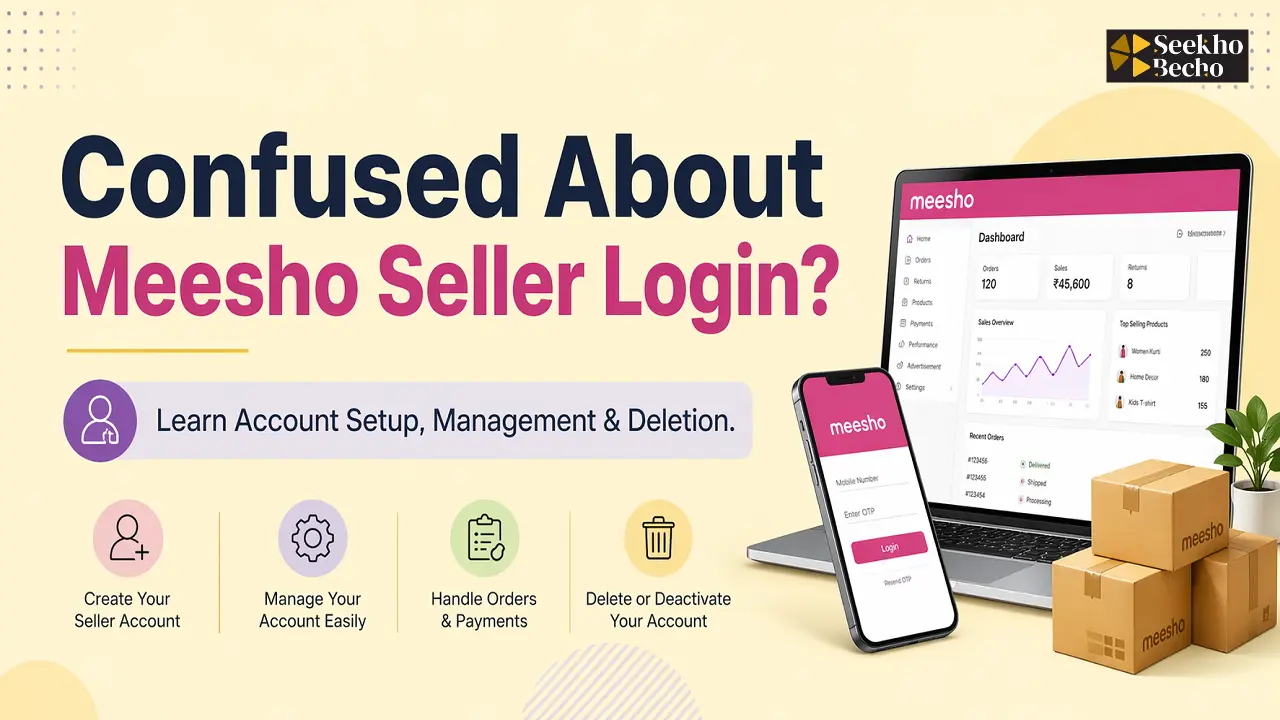
Want to start selling on Meesho but stuck on Meesho seller login? You’re not alone, lakhs of small business owners and resellers in India face this daily. This beginner-friendly guide solves it all: from Meesho seller account registration to dashboard mastery and boosting sales.
Meesho supplier login is your gateway to India’s top reselling platform, where you can earn without inventory hassles. Follow our step-by-step process to log in, upload products, and scale your business in 2026.
What is Meesho Seller Login?
Meesho seller login is the process to access your supplier account at supplier.meesho.com using mobile number, OTP, or password unlocking the Meesho seller panel for product uploads, order management, and payments.
It’s simple for beginners. No tech skills needed. Just verify your number and dive into the Meesho seller dashboard. Think of it like WhatsApp Business login, but for e-commerce.
Requirements to Create Meesho Seller Account
Before the Meesho seller login, set up your account right. Here’s what you need:
- Valid Mobile Number: For OTP verification. Use your active SIM.
- GSTIN (Optional but Recommended): Mandatory for businesses above ₹40 lakh turnover. Non-GST sellers use Enrollment ID/UIN.
- Bank Account: Linked to GST name. IFSC code ready for payouts.
- Business Details: Shop name, address for pickups.
- PAN Card: Auto-fetched if GST linked.
| Requirement | GST Sellers | Non-GST Sellers |
| Tax ID | GSTIN | Enrollment ID/UIN |
| Bank Link | Same as GST | Any valid account |
| Verification Time | 2-3 days | Instant |
No fees to join. Meesho’s zero-commission model suits small sellers.
Also Read: Meesho Product Review 2026
Step-by-Step Meesho Seller Registration Process
Ready for Meesho supplier account registration? It’s free and quick—takes 5-10 minutes.
- Go to supplier.meesho.com. Click “Start Selling“.
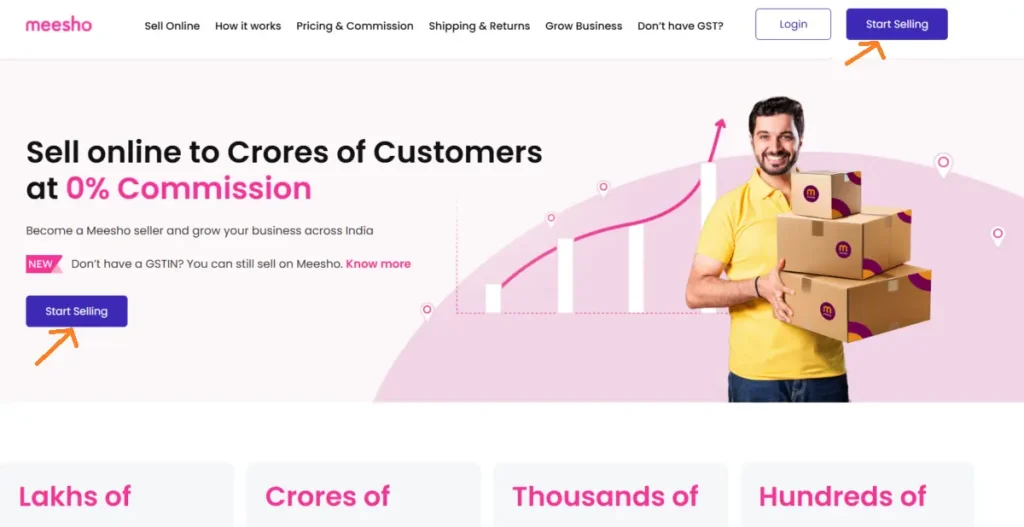
- Enter Mobile Number: Get OTP. Verify instantly.
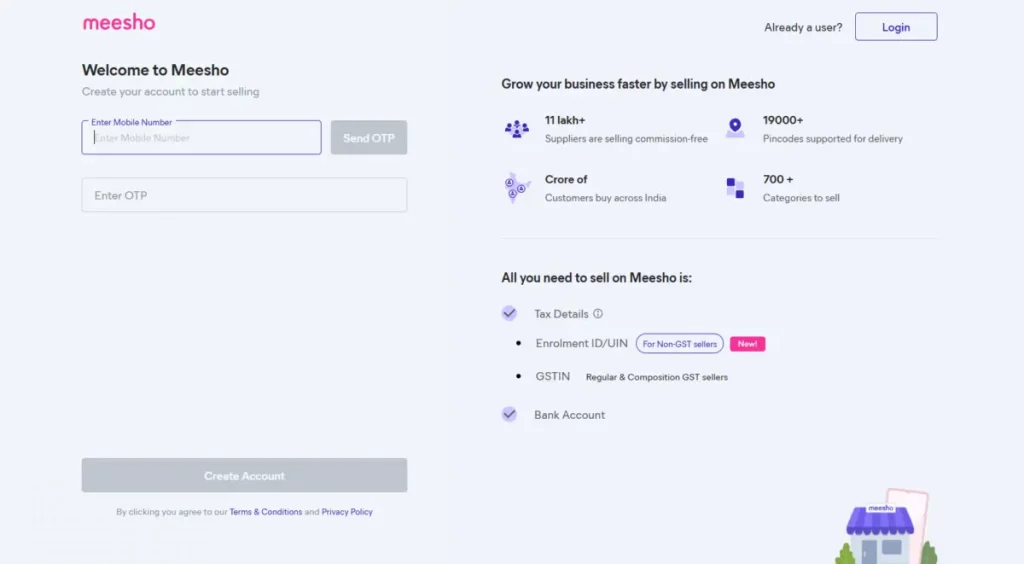
3. Add Business Info: Name, address, pickup city. Select GST or non-GST.
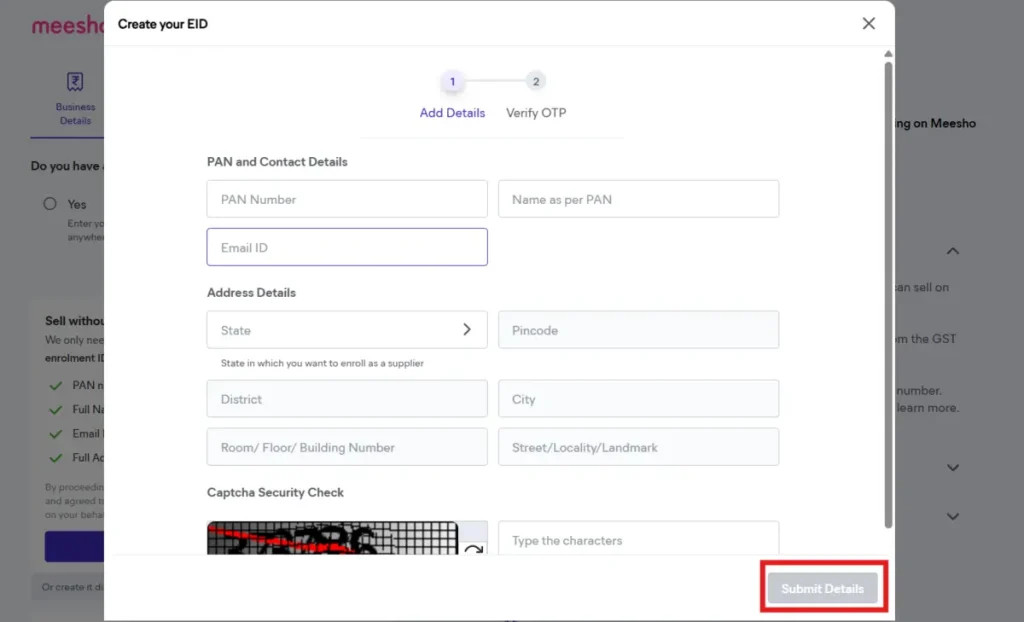
4. Upload Documents: GSTIN/PAN. Bank details (account no., IFSC).
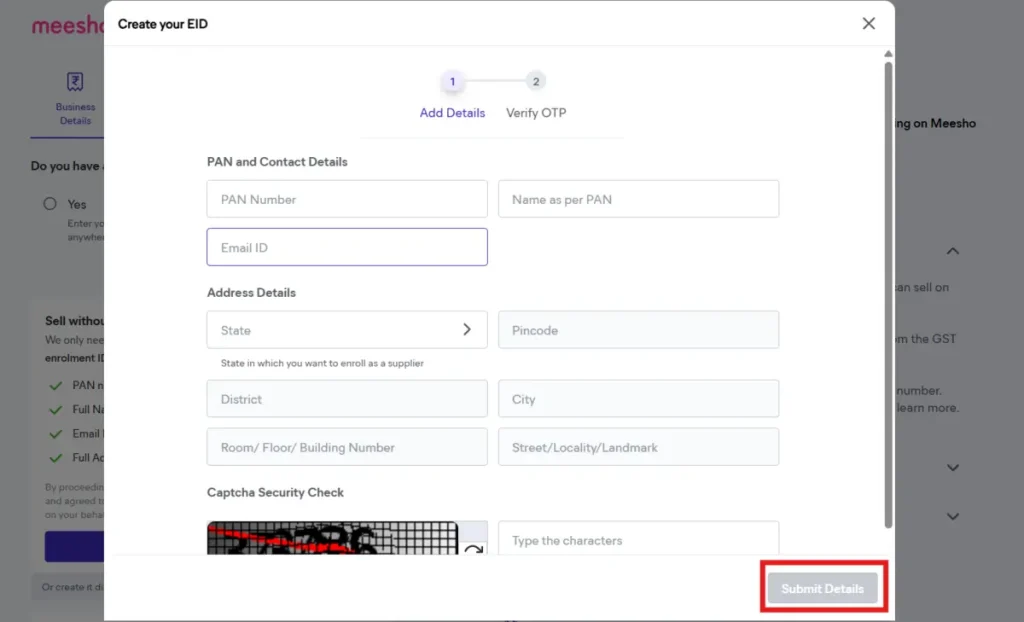
5. Set Password: Strong one—8+ chars, mix letters/numbers.
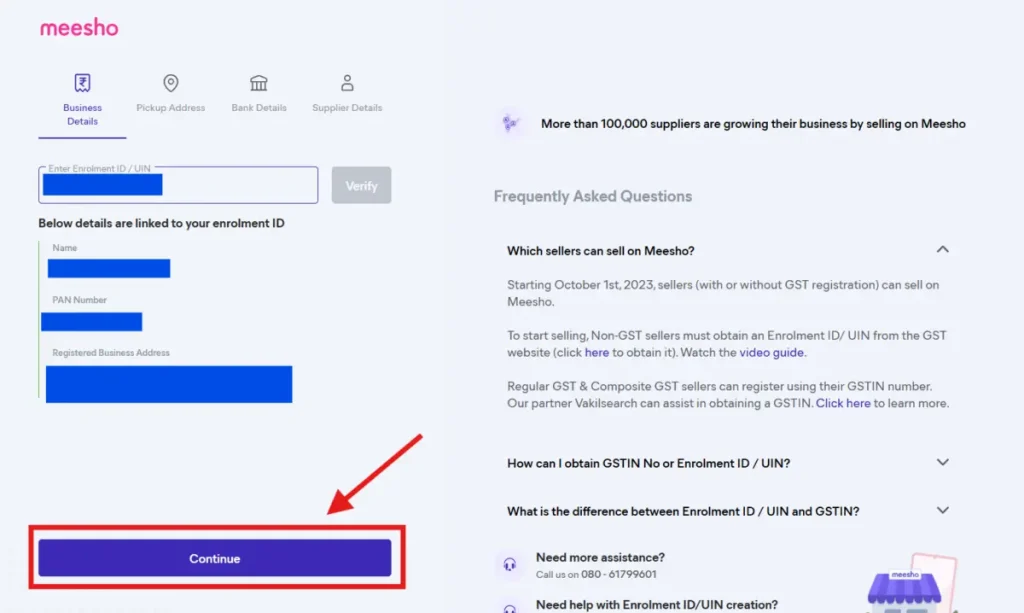
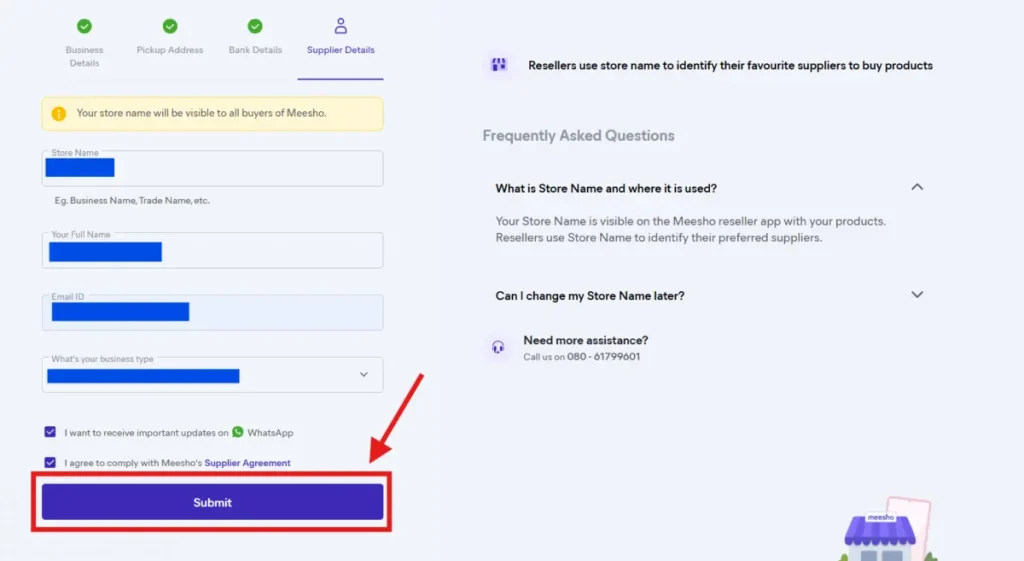
6. Supplier Details: Enter your Store Name, Full Name, Email ID, & Business Type, then Submit.
7. Verify & Wait: Meesho approves in 1-3 days. Get email/SMS.
Pro Tip: Use a dedicated business mobile. Avoid personal numbers for Meesho supplier login.
Also Read: How to Sell on Meesho With or Without GST (2026 Seller Guide)
Step-by-Step Meesho Seller Login Process
How to login Meesho seller account the most searched query. Super easy!
Web Login supplier.meesho.com
- Open supplier.meesho.com/panel/login.
- Enter registered mobile/email.
- Choose OTP or password.
- Verify OTP. Done!.
Meesho Seller App Login
- Download “Meesho Supplier” from Play Store.
- Same credentials: Mobile + OTP.
- Manage on-the-go.
Meesho seller panel login works offline too for viewing orders.
Meesho Seller Panel Dashboard Explained
Once in the Meesho seller dashboard, it’s your control center.
- Home: Sales overview, today’s orders.
- Products: Catalog, uploads, edits.
- Orders: New, shipped, returns.
- Payments: Payout history, settlements.
- Analytics: Top products, buyer insights.
Navigate like this: Left menu for quick jumps. The mobile app mirrors it perfectly.
Question: New to dashboard?
Answer: Start with the “Products” tab upload the first item today.
How to Upload Products on Meesho
Selling starts here. Meesho supplier panel makes it beginner-proof.
- Go to Products Tab: Click “Add New“.
- Enter Details: Name, description, price, images (5-10).
- SKU & Variants: Size, color, style code.
- Pricing: MRP, selling price. Meesho suggests margins.
- Save & Publish: Live in hours.
Use ChatGPT for product descriptions: “Write SEO-friendly kurti description under 100 words.” Instant magic!
Pro Tip: Canva AI for images generates pro mockups free.
Also Read: Does Meesho Sell Used Clothes?
How Orders, Payments & Returns Work
Meesho business model: Zero commission, seller-funded shipping.
- Orders: Auto-notify. Pack within 24 hrs.
- Shipping: Meesho partners pick up. COD default.
- Payments: Weekly/bi-weekly to the bank. Deduct shipping/returns.
- Returns: 7-day window. Seller approves/rejects.
| Stage | Timeline | Seller Action |
| Order Received | Instant | Confirm stock |
| Pickup | 1-2 days | Pack securely |
| Delivery | 3-5 days | Track via app |
| Payout | T+15 days | Auto-credit |
No hidden fees. Earn 20-40% margins easily.
How to Delete or Deactivate Your Meesho Account
Sometimes you need to pause or exit. Here’s how to delete or deactivate your Meesho seller account safely.
Temporary Deactivation
- Log into Meesho seller dashboard.
- Go to “Account Settings” > “Profile”.
- Select “Deactivate Account“.
- Choose reasons (e.g., low sales, shifting platforms).
- Confirm via OTP. Account pauses no new orders.
Reactivate anytime by logging in.
Permanent Deletion
- Email [email protected] with:
- Registered mobile.
- Reason for deletion.
- Pending orders cleared (ship/refund first).
- Wait 7-10 days for confirmation.
- Account + data erased permanently.
Warning: Deletion is irreversible. Download sales reports first from the “Payments” tab.
Pro Tip: Deactivate during low seasons. Check
Also Read: Is Meesho Safe in 2026?
Common Meesho Seller Login Problems + Solutions
Meesho login problems frustrate beginners. Fix them quick:
- OTP Not Coming: Check number. Try web vs app. Wait 5 mins.
- Wrong Password: “Forgot Password” → OTP reset.
- Account Locked: Contact [email protected] or app chat.
- Blocked Login: Clear cache. Use incognito.
- App Crashes: Update to latest version.
Q: Can’t login after registration?
A: Approval pending check email. Usually 48 hrs.
Use Microsoft Copilot to research: “Meesho seller OTP issues 2026.”
Tips to Increase Sales on Meesho
Scale your sell on Meesho for beginners.
- Optimize Listings: Keywords like “cotton kurti under 500”. Google Gemini for research.
- Daily Uploads: 10+ products.
- Competitive Pricing: Undercut by 10%.
- Fast Shipping: Same-day pickup.
- Promos: Use Meesho ads (low cost).
Meesho vs Amazon vs Flipkart (Comparison Table)
| Feature | Meesho | Amazon | Flipkart |
| Commission | 0% | 5-15% | 4-12% |
| Seller Size | Small/resellers | All | Medium+ |
| Approval Time | 1-3 days | 2-7 days | 3-5 days |
| Payments | Weekly | 7 days | Bi-weekly |
| Account Deletion | Email support | Self-service | Self-service |
Best AI Tools to Grow Your Meesho Business
Supercharge with AI no coding needed.
- ChatGPT: Product titles/descriptions. Prompt: “10 catchy saree descriptions.”
- Google Gemini: Keyword research. “Best LSI for Meesho kurtis.”
- Microsoft Copilot: Automate emails, research competitors.
- Canva AI: Magic Studio for images background remove, enhance.
Example: Use Gemini for “Meesho seller login keywords” boost SEO.
Also Read: What Is Meesho and How its Work in 2026
Is Meesho Worth It in 2026? (Honest Insights)
Yes, for small sellers. How to earn from Meesho? Resell via social WhatsApp forwards.
Pros: Zero entry, huge Tier-2/3 reach (50cr+ users).
Cons: High competition, returns 10-15%.
In 2026, Meesho grew 30% YoY. Perfect if Amazon/Flipkart rejected you.
Why Seekhobecho is the Best Ecommerce Dropshipping Supplier in India
If you are serious about starting an ecommerce business but don’t want the headache of managing stock, inventory, or delivery then choosing the right dropshipping supplier becomes the most important decision.
This is exactly where Seekhobecho stands out. Unlike random suppliers or incomplete courses, Seekhobecho doesn’t just teach, it helps you actually run a business.
What Makes Seekhobecho Different?
Most beginners fail because they try to do everything alone:
- Finding products
- Managing inventory
- Handling delivery
- Dealing with returns
This creates confusion and risk. Seekhobecho solves this by giving you a complete done-for-you ecosystem.
Sell Products Without Stock, Inventory or Delivery Tension
With Seekhobecho’s dropshipping support, you don’t need to worry about:
- Buying stock in advance
- Managing inventory
- Packing & shipping
- Handling delivery issues
Instead, you can focus only on selling and marketing.
Meesho, Amazon & Flipkart Dropshipping Services
Seekhobecho provides dropshipping services across major platforms like:
- Meesho Supplier
- Amazon
- Flipkart
- Amazon International dropshipping
Frequently Asked Questions
1. How do I do Meesho seller login?
To do a Meesho seller login, follow these simple steps:
- Go to the Meesho Supplier Panel (supplier.meesho.com)
- Enter your registered mobile number
- Click on “Send OTP”
- Enter the OTP you receive on your phone
- Click on “Login”
Once verified, your seller dashboard will open where you can manage products, orders, and payments.
Tip: Always use the same mobile number that you used during registration to avoid login issues.
2. What is Meesho supplier login?
Meesho supplier login is the process that allows sellers (also called suppliers) to access their Meesho seller account through the supplier panel. Once you log in, you get access to your seller dashboard, where you can manage your entire business.
3. Meesho seller app login issues?
Meesho seller app login issues usually happen due to internet problems, OTP errors, wrong mobile number, or an outdated app. You can fix this by checking your network, using the correct number, retrying OTP, updating or reinstalling the app, or clearing cache. If it still doesn’t work, contact Meesho support.
4. Free to register a Meesho seller account?
Yes, registering a Meesho seller account is completely free. You don’t have to pay any signup or registration fee to get started, and you can list your products without any upfront cost.
5. How to reset Meesho seller password?
To reset your Meesho seller password, follow these simple steps:
- Go to the Meesho Supplier Panel login page
- Click on “Forgot Password”
- Enter your registered email ID or mobile number
- Click on Submit
- Check your email for the password reset link
- Open the link and create a new password
Once done, you can log in again using your new password.
Quick Tip: Always use your registered email/mobile and choose a strong password to avoid future login issues.
Conclusion
Mastered Meesho seller login? Now upload products, manage orders, or deactivate if needed. This complete guide has you covered for 2026 success. If you are serious about starting an ecommerce business but don’t want the headache of managing stock, inventory, or delivery then choosing the right supplier becomes the most important decision.